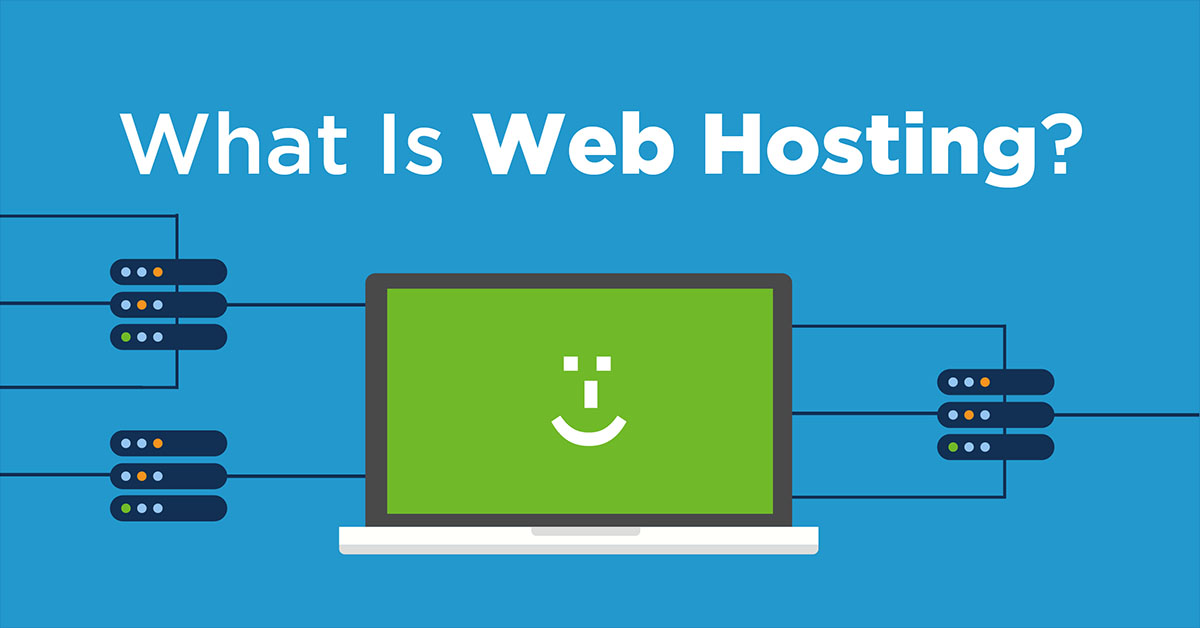
What is Web Hosting?

What is Web Hosting?

Do you have something you want to share with the world? Awesome!

There’s never been an easier time than now to share your creativity, products and ideas with people anywhere in the world.

There’s no scribe, town crier or carrier pigeon required, although we know an alligator who’s happy to guide you through the process.

Creating a website is easier than most people expect it to be.

Before we go over the steps involved, it’s helpful to think about exactly what you want your website to do for you.

How Can A Website Help Me?

1. Publish a blog.

Whether you’re sharing your thoughts for fun or profit (or both), you need a website to serve as a home for your blog.

2. Build your business.

Most people look online for places to shop, so a website is a must if you want customers to find you.

3. Show off your portfolio.

If you’re a freelance photographer, writer, web designer, or another type of independent worker, an online portfolio can show prospective clients what you do and why they should hire you.

Next, we explain how you get a website for your business.

What Do I Need to Create a Website?

You need to get three things to set up your site: a domain, a web host, and site content. If this is all new to you, it may help to think of the process like throwing a house party – only you’re starting by building the house.

Next, we explain how you get a website for your business.

What Do I Need to Create a Website?

You need to get three things to set up your site: a domain, a web host, and site content. If this is all new to you, it may help to think of the process like throwing a house party – only you’re starting by building the house.

1. File storage:

The image, text, and design files that make your website look like it does are stored on a server – a computer maintained by your web hosting service. These files are sort of like your party décor, music and snacks – the reason people come to your house parties.

2. Hardware:

The server where your website files are stored is usually one of many servers  stored together in a data center. Keeping all this hardware in one place makes it easier for your web hosting service to keep it up to date and running properly. Hardware is like the furniture, lights, and plumbing in your own home.

3. Uptime:

The amount of time when your site files are available to visitors is “uptime.” Uptime of 99.9% is the industry standard for web hosts. You don’t want guests to drop by and find that your website is unavailable, just like you don’t want party guests to find your house locked and empty when they arrive.

4. Security:

On the internet, pranksters and criminals are always trying to break into servers, files, and sites to cause mayhem or steal data. Your web host’s security measures protect your site from break-ins, just like your home security system keeps people from breaking into your house.

A good web host will also include other services and tools that make setting up your site easier and faster, like:

  • Round-the-clock live support so you can work on your site anytime and get help if you need it.
  • Free templates for your website so you can create a professional looking site in just a few clicks.
  • Video and written tutorials to answer your detailed questions.
  • Domain and WHOIS privacy registration services.
  • Shopping cart tools to help you start selling online.
  • Unlimited email hosting so you can create professional email addresses for yourself and your employees or blog contributors.
  • Spam filters, because who wants spam?
  • Automatic site backups to protect your site files as your website evolves and grows.


How Much Does A Website Cost?

As versatile and powerful as websites are, they’re also remarkably cost-effective compared to other marketing methods throughout history. For less than $5 per month you could get

  • 5 pounds of feed for carrier pigeons (pigeons and messages not included).
  • 50 large postcards to mail to prospective customers (postage not included).
  • Your very own website with the potential to reach more than 3 billion internet users.

Does a website seem like a better fit for you than postcards or pigeons? We agree.

Do I Have to Pay for Web Hosting?

Can you use a free hosting service instead of getting your web hosting? You can, but you’re taking a risk that the free service may shut down your site if…

  • you run afoul of their rules,
  • people complain about your site, or
  • something happens outside your control that takes the service offline.

It’s like trying to throw a party at your parents’ place: Their house, their rules. What did they always say? “When you pay the bills, you can make the rules.” There you go.

There are other potential problems, too.

Having the free hosting brand’s logo on your pages and in your URL makes your business look amateur to visitors. If you won’t spend money on your business, why should they?

Limits on bandwidth from free site builders can cause you to miss sales if a product or promotion goes viral.

Don’t limit yourself or your site. Choose web hosting that supports your goals as your business grows.


Ready to set up your site?

HOW TO STAND OUT ONLINE

HOW TO STAND OUT ONLINE

Use a website to put your passion in the spotlight

So long, summer breaks and spontaneous holiday trips. After having time to unwind, relax, and contemplate your latest passion project, let’s put your innovative ideas onto a profitable platform. In other words, you either need to make a website or enhance the one you already have to make it stand out amongst the crowd.

Keep it local (with global in mind)

Supporting local businesses has become a modern movement, and that’s even more reason to capitalize on your dream. “BIA,” or Business Improvement Area, has become a common term in cities across Canada and the world, encouraging everyone to shop locally.

Local consumers want to support local businesses.

So, why shouldn’t it be yours? Now’s the time to make that happen.

You know your customers better than you think. They’re probably a lot like you.

Let’s throw out a hypothetical — you hear about a business in town. Regardless of how you heard about it, if it’s already piqued your interest, you’ll more than likely look them up online. From there, the business’s website will give you all the information you need to decide whether or not you want to check it out for yourself. Keep this in mind when updating your own website.

When? Where? Why?

These are good questions to keep in mind when building your website. Explain the concept in its simplest form — the ol’ “elevator pitch,” if you will. When asked about your business, you should be able to have a clear, concise answer. This should be true for your website, too.

It’s design time: How to build a website

As an entrepreneur, you’re already an innovator and creator. A website helps you showcase your ideas to Canada and beyond.

But websites can seem overwhelming, especially for those who don’t consider themselves tech-savvy or web gurus. You may find yourself contemplating over and over, “how to build a website … how to build a website … ” That’s why WiseHost’s website software makes it easy to build or update a website in under an hour.

Simply choose a template that matches your industry, add text to tell customers about your business or idea, then add a few photos. It’s as easy as that. With WiseHost’s website software, you’ll have the ability to completely personalize your website — so your one-of-a-kind idea will stand out the way it should.

The more you can talk about your business and how it’s a one-of-a-kind concept, the more you’ll differentiate your brand online (and in person).

Now you can showcase your business and give it the recognition that it deserves. For more detailed information, check out this post about how to build a better website in under an hour.

Your story sells

After all the hard work of putting your blood, sweat and tears into creating your passion project, oddly enough, self-promotion can be difficult for a lot of entrepreneurs. Just don’t overthink your story. The more personal, genuine, and detail-oriented your story is, the more likely your customers will have faith in you and your product. Plus, you’ll differentiate yourself online because the more you talk about what’s special about your business, the more your current and potential customers will realize just how unique and exciting your business actually is.

Here are a few questions to help get you started on updating the “About Us” section of your website:

  • How did you come up with your idea?
  • What did you sacrifice to make your dream of owning a business come true?
  • What or who were your influences? Did your grandfather or grandmother teach you secret tricks of the trade at a young age? Your audience wants to hear about it.

Now that you’ve successfully put your idea into the spotlight, communicating exactly how awesome your business is, and how it’s a place like no other in town (or in the world), you’ve also officially got your readers’ attention. Ideally, this will make regulars keep on returning, and new customers finally check it out for themselves. And, who knows? You just might inspire someone else to follow their dreams as well.

Do you really trust businesses that only have 5 star reviews?

Do you really trust businesses that only have 5 star reviews?

Sometimes the best thing to do when dealing with your clients is to put yourself in the consumer’s shoes. No matter how good a business is, consumers expect to see negative reviews. In fact, 95% suspect censorship or faked reviews when they don’t see bad scores (Reevoo, 2015).

However, as an agency, you want to see your clients shine. We’re here to help. Here are some best practices for providing review management services to your clients:
1. Ask the customer to leave a review (email survey, in store sign, etc.)
2. Read and analyze the review. Does it meet the criterion to suppress or remove?
3. Respond to the review
– If the review is positive, thank them for their feedback
– If the review is negative, try to move the conversation offline. Try to remedy the situation to win the customer back. If you have remedied the situation, try asking them to adjust their review. If not, then at least the customer may come back.

Are you more of a visual learner? We’ve got you covered. Get the one page printable infographic so you can better help your clients follow the review management best practices.

How to get rid of bad bots on your website

How to get rid of bad bots on your website

You’ve probably heard of bots on the Internet by now, but you might not be sure on what they are or what they do. To be brief, Internet bots, or web robots, or simply bots, are a software application that automatically runs various tasks on the Internet. These tasks can be for good or bad, depends on the creator. Good bots are typically used to assist in automating tasks, like website scanning or data collection, and are generally used to make our lives easier. Bad bots, however, are a pain and are used for malicious purposes in the online world. In Imperva Incapsula’s annual report on bot traffic, they found that nearly 60% of all bot traffic could be attributed to bad bots.

Bad bots are used to hack, spam, spy, interrupt, and compromise websites of various sizes. If you have an online presence of any kind, chances are, you’ve already had some dealings with these annoying bots. There are ways of dealing with bots. Bots make up nearly half of the Internet traffic today (48.5% to be exact), so chances are you won’t be able to avoid them altogether, but with our help, you won’t be bothered by them on a regular occurrence.

We have two solutions to get rid of bots on your website, a hard way, and an easy way. Let’s start with the hard way:

The hard way

Why is this hard? This solution takes a lot of effort on your part, a lot of knowledge, and a lot of time. If you’re having a problem with bots spamming your website the first thing you’ll need to do is find out where they came from. This is all going to get very technical, so try and follow along as best you can. If you get lost, don’t worry, the easy way is only a few paragraphs down.

To find out where the bots came from and block them you are going to need either, the IP address that bots were sent from or their User Agent String. An IP address is a unique identifier used to identify each computer on the Internet through a string of numbers that are separated by periods. A User Agent String, on the other hand, is the name of the actual program. For example, a Google search engine bot goes by Googlebot/2.1.

To find either of these things you will need to access your raw web log. At Wise Host you can find your raw web logs in Control Panel under Metrics > Raw Access > Download Current Raw Access Logs. These files are usually quite large and will need to be decompressed through an archiver. You can find many versions of archivers on the web or through app stores. Once the file has been decompressed, open it in an ASCII text editor (like Notepad), which can also be found on the web.

Now you have to scan through the web file to try and find the bot that you want to block. Some helpful identifiers are knowing the time that the bot tried to gain access to your website or the page it was interacting with. With either or both of those pieces of information, you should be able to track down an IP address or the User Agent String. Once you have located either/both of these pieces of information, jot them down and prepare for the next step.

Keep in my mind, this solution can be very patchy and you may not get the end result that you desire. The next step is about blocking the IP address or User Agent String that you found, but this could backfire on your company. Just because bots came from one IP address does not mean that they will come from that same IP address the next time they attack. By blocking random IP addresses you could very well block an entire Internet Service Provider (ISP) along with all of the customers that use that ISP. The same risks come with blocking specific User Agent Strings. Hackers are clever and they will often name their bots after browsers or software that everyone uses. This becomes problematic when you try to block a bot named “Safari” and in the same process, block every person using the Safari web browser. If you are not sure of what you are doing you might be better off using the easy solution below.

If you still feel that this solution is worth the risk, the next step is to download your .htaccess file. WARNING, one wrong change on your .htaccess file can potentially break your website, so make sure you backup your website before making any further changes. To download your .htaccess file go to the web directory of your website from your control panel and find the file titled, “.htaccess”. If you can’t find the file, chances are it doesn’t exist and you’ll have to create one.

If you managed to find the .htaccess file the next step is to open it in your ASCII text editor or open a fresh document if you need to create a new .htaccess file. Using a word processor like Office, Word, or WordPad to create this file can cause your website to fail when you re-upload the .htaccess file, so make sure that you use an ASCII text editor.

To block an IP address, simply add the following lines of code to your .htaccess file (just add the actual IP address you want to block in place of the example IP addresses we listed below):

Order Deny,Allow
Deny from 1.2.3.4
Deny 11.22.33.44

If you already have text in your .htaccess file add the above code to the bottom of the file. You can add another line of code with the same “Deny From ___” format for each IP address you wish to block. You can block as many IP addresses as you need to, however, note that the longer your list becomes the more sluggish your website can become.

Blocking a User Agent Strings is very similar to blocking IP addresses. Let’s say you found a bot that you want to block named “SpamRobot/3.1 (+http://www.randomsite.com/bot.html)”, you would add the following code to your .htaccess file (replacing SpamRobot with the actual bot that you found):

BrowserMatchNoCase SpamRobot bad_bot
BrowserMatchNoCase OtherSpamRobot bad_bot
Order Deny,Allow
Deny from env=bad_bot

To add multiple User Agent Strings to block, simply add another BrowserMatchNoCase line of code above the “Order Deny,Allow” line of code. Just like blocking IP addresses, adding too many bots to block can slow down your website.

Once you’ve finished updating your file make sure to save it as “.htaccess” file WITH the quotation marks included. Upload your updated or brand new file to your website and you should be safe from the IP addresses and User Agent Strings that you’ve identified.

Remember this fix will not protect your website from all bots. In fact, it only protects you from the specified IP addresses and User Agent Strings that you have blocked. Hackers are smart these days and will often make it so if you block them in this format you will also be blocking several other users as well. IP addresses can also change, meaning that you could be blocking an innocent user instead of a bot if you use this solution.

The easy way

At the start of the blog, I mentioned that there were good bots and bad bots. Services like Cloudflare, SiteLock and Sucuri, use good bots to automatically deal with incoming bad bots. As you probably saw above in the hard way, despite being free, is a long, arduous solution, that may not even protect your website from the majority of bots. Alternatively, SiteLock and Sucuri will take care of spam bots for you, among many other features.

Both of these services continually scan your website for intruders and remove them if they are found. Other fixes to your website include eliminating backdoors and vulnerability remediation. Further intrusions are prevented on your website with a Web Application Firewall, DDoS prevention, and backdoor mitigation. On top of all the security that these services provide, SiteLock also gives users access to a Global CDN to speed up your website.

The important thing to remember about this solution is that it’s easy, automatic, and reliable. You don’t have to worry about editing your files or blocking IP addresses when you have a service like SiteLock or Sucuri because they will do that all for you and they will do it much more efficiently. SiteLock, Sucuri, or another security service that you can find, will protect your website from incoming bad bots and patch up your code to ensure that nothing malicious can get on your website.

If you don’t run one of the most popular websites that get over 100,000 views per day, then chances are the majority of your traffic comes from bots, not humans. Bots play a big part of all the Internet activity that happens today. While a lot of that activity can have malicious intent, there are many bots out there made to make our lives earlier. Take advantage of the services that the good bots can provide and take all the necessary precautions to protect your website from incoming bad bots.